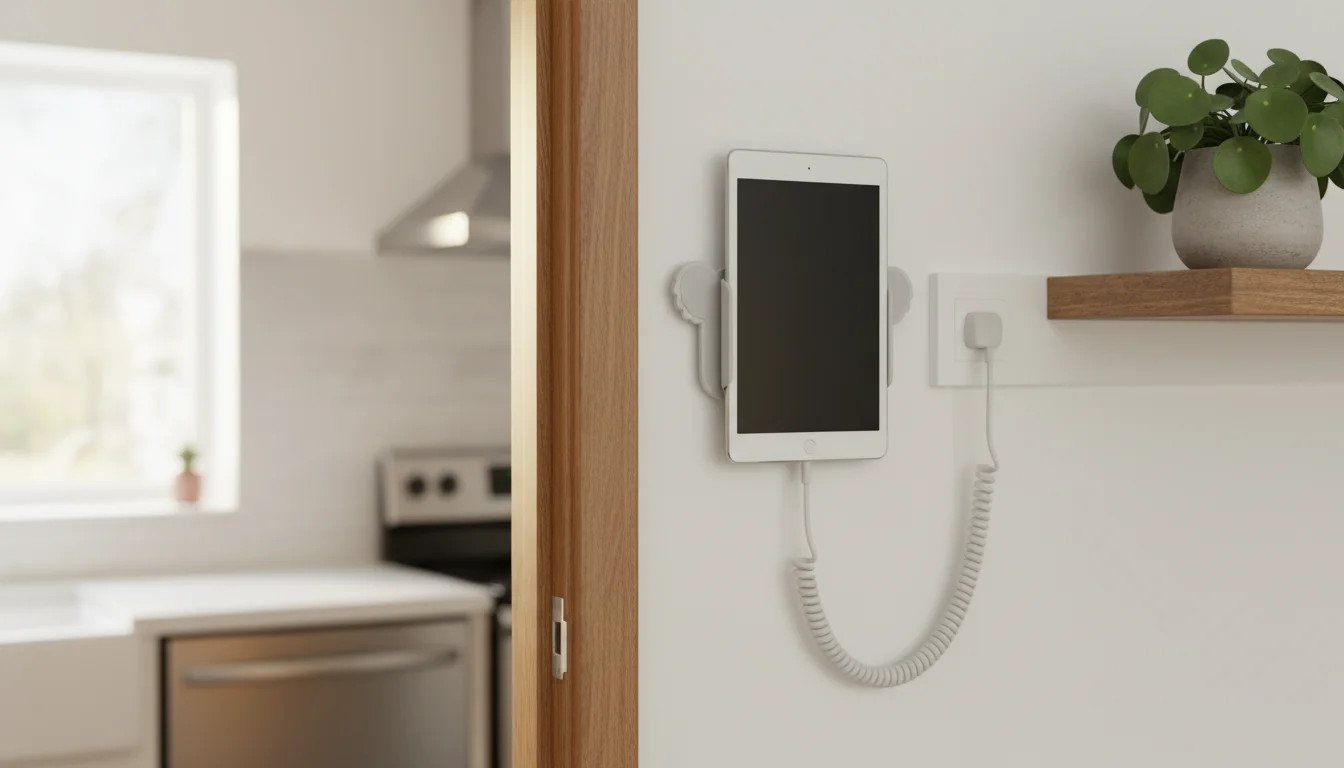
Three Ways to Set Up Your Display
There’s no single right answer here – it depends on your kitchen layout, how permanent you want this to be, and whether you’re willing to put holes in the wall. Let’s go through all three options.
Option 1: Countertop Stand ($10-25)
Best for: Trying it out, renters, anyone who wants to start simple
This is how most people start, and honestly, a lot of people never upgrade from it. A good tablet stand on the counter, near a power outlet, angled so you can read it from across the kitchen.
What to look for:
- Adjustable angle (you want to tilt it to reduce glare)
- Stable base (heavy enough that it doesn’t tip if bumped)
- Cable pass-through or open back (so the charging cable isn’t kinked)
- Non-slip feet
Good options:
- Lamicall Adjustable Tablet Stand (~$20) – aluminum, adjustable angle, works with any tablet. This is the default recommendation for a reason.
- Ugreen Tablet Stand (~$15) – similar to Lamicall, slightly heavier base
- Amazon Basics Tablet Stand (~$10) – does the job, nothing fancy
Where to put it:
- Next to the coffee maker (you’ll look at it every morning)
- Near the stove but not at the stove (steam and grease aren’t great for tablets)
- On the breakfast bar where everyone sits
- Near a power outlet – this is usually the deciding factor
Cable management tip: Run the charging cable along the back of the counter and secure it with a small adhesive cable clip. A right-angle Lightning or USB-C cable ($8 on Amazon) keeps the cable flush against the stand instead of sticking out.
Option 2: Wall Mount ($15-40)
Best for: A permanent, clean-looking installation
A wall-mounted tablet looks more intentional – like it belongs there, rather than something temporarily sitting on the counter. The trade-off is that you need to put something on the wall (screws, adhesive, or both).
Adhesive Mounts (No Holes)
Best for: Renters, temporary setups, anyone who hates drilling
- Koala Mount (~$17) – tiny aluminum ledge that sticks to the wall with 3M VHB tape. The tablet just rests on it. It looks clean and holds surprisingly well. Rated for up to 3 lbs (2.7 kg), which covers any tablet.
- Dockem Wall Mount (~$20) – similar concept with a slightly larger mounting plate
The Koala Mount is probably the most popular option for kitchen displays. It’s barely visible behind the tablet, so it just looks like the iPad is floating on the wall.
Important: 3M VHB tape is extremely strong on smooth surfaces (painted drywall, tile, glass) but doesn’t stick well to textured walls. Test a small piece first.
Screw-In Mounts
Best for: Permanent installations, heavier tablets
- Dockem Koala Mount (screw version) (~$20) – same clean design but with screws for a permanent hold
- TabDock (~$30) – flush wall mount with a charging dock built in
- VESA mount + tablet adapter (~$25-40) – if you want to use a standard monitor arm, you can get a VESA-compatible tablet case
Under-Cabinet Mounts
Best for: Keeping counter space free, kitchens with upper cabinets
- CTA Digital Under-Cabinet Mount (~$35) – screws into the bottom of an upper cabinet, tablet hangs down at eye level. Folds up against the cabinet when not in use.
This is a great option if you have a row of upper cabinets above your counter. The tablet tucks under the cabinet and angles toward you. The cable runs behind the cabinet and plugs in above.
Option 3: Fridge Mount ($10-15)
Best for: Quick, no-commitment setup
Magnetic tablet cases or fridge-mounted holders stick your tablet right on the refrigerator door. It’s not the most elegant solution, but it works immediately and costs almost nothing.
- JUBOR Magnetic Tablet Mount (~$12) – strong magnets, works on any fridge
- Any magnetic tablet case + fridge – some tablet cases have magnets built in
Heads up: Make sure the magnet is strong enough to hold your specific tablet. iPad Pros are heavier than iPad minis.
Making It Look Good
Whatever mount you choose, a few details make the difference between "old tablet stuck to the wall" and "that looks really nice, where did you get that?"
Hide the Cable
This is the single biggest improvement you can make. A visible charging cable dangling down the wall screams "DIY project." A hidden cable says "this was always here."
Easy method: Use adhesive cable clips (a pack of 20 is $5) to route the cable along the wall edge, baseboard, or cabinet frame. Paint-matching cable clips make them nearly invisible.
Clean method: If you’re comfortable with basic DIY, run the cable inside a slim cable raceway ($8 for a 6 ft / 1.8 m kit). It’s a flat plastic channel that sticks to the wall. Paint it to match.
Serious method: Run the cable through the wall. This is a 30-minute job if there’s an outlet nearby and you have a drywall saw. Cut a hole behind the tablet, another near the outlet, and fish the cable through. Not recommended for renters, but it’s the cleanest possible result.
Choose the Right Height
- Counter stand: Eye level when sitting at the breakfast bar
- Wall mount: Eye level when standing – typically 54-60 inches (137-152 cm) from the floor to the center of the screen
- Under-cabinet: Should angle down toward you, not straight down at the floor
Reduce Glare
Position the tablet so it’s not directly opposite a window. A slight downward angle (10-15 degrees from vertical) on a wall mount eliminates most glare from overhead lighting.
If glare is still a problem, a matte screen protector ($8-12) diffuses reflections. It slightly reduces screen clarity but makes the display readable from any angle.
Keep It Clean
Kitchen tablets get splattered. A glass screen protector ($8) gives you a wipeable surface. Keep a microfiber cloth nearby – you’ll use it more often than you’d think.
Power Planning
Before you mount anything permanently, think about power:
- Is there an outlet within cable reach? Most charging cables are 3-6 feet (1-2 m). Measure first.
- Can you use a longer cable? A 10 ft (3 m) Lightning or USB-C cable ($10) solves most reach problems.
- Is the outlet switched? Some kitchen outlets are controlled by a switch. Make sure nobody turns off your display when they flip the switch for the garbage disposal.
If there’s no outlet nearby, an extension cord with a flat plug behind furniture is the simplest fix. Just don’t run extension cords under rugs or through door frames – that’s a safety issue, not a style one.
My Setup
I have a Koala Mount on the wall next to the kitchen doorway, about eye level. An old iPad mini sits on it with a 6-foot (1.8 m) right-angle Lightning cable that runs down behind the door frame – basically invisible. The whole thing cost under $25, and it took about 20 minutes to set up.
It’s been running for over a year. The 3M tape is holding fine. The only maintenance is wiping the screen every few days when someone gets pasta sauce on it.
This is part of our complete kitchen display guide. Start from the beginning if you missed the earlier steps.