Why the Nixplay Keeps Showing Up
Nixplay is still on every 2026 “best digital picture frame” list. Reviewed hands the 10.1-inch model an Editor’s Choice. Tom’s Guide puts it in the top five. The screen is genuinely good. The magnetic remote is genuinely nice. My mother-in-law owns an Aura instead of a Nixplay only because that is the frame I bought her; if I had walked into Best Buy that Christmas, I might well have come home with the Nixplay.
I sat down to write this because two things kept happening at once. Nixplay has been quietly changing the deal that made it a household name. And Search Console has been showing “nixplay frame alternative” as a query trickling into a Dashpadd page that was really about the spare-iPad path, not about the Nixplay at all. Both audiences deserve a proper answer.
A small caveat before the meta-review starts: I have not held a  Nixplay. Aura is the frame in the family. Everything in the review section below is drawn from reviewers who have lived with the various Nixplay models for months, cross-checked against Nixplay’s own product pages. The comparison at the end is the part Dashpadd has been running on a kitchen island for two years.
The 2026 Nixplay Lineup, Honestly
Nixplay’s current US lineup is three touchscreen frames. The older W10E and W10G models you may still see on eBay and in older gift-guide roundups are no longer on the shelf.
- Classic 10.1″ ($189.99). The touch-screen frame that most reviewers recommend. 10.1-inch HD display in a matte-black finish. The one Reviewed named Editor’s Choice.
- Modern 10.1″ ($199.99, currently running a buy-one-get-one-free promo). Same 10.1-inch class, slimmer bezel, brushed-metal finish. Aimed at the gift-two-frames-at-once buyer.
- Big Classic 15.6″ ($349.99). The 15.6-inch HD touch frame. This is Nixplay’s answer to the Aura Walden. Landscape only, wall-mount capable.
All three ship with an included magnetic remote and support HEIC (iPhone-native photos) out of the box. The 10.1-inch models are widely available at Best Buy and Amazon; the Big Classic is more of a nixplay.com item.
Costco does not currently run a Nixplay warehouse deal the way it runs the Aura Carver Stone. Black Friday is the discount window worth waiting for if you have a few months.
What the Reviews Actually Say
I read through the current coverage:  Reviewed’s 2026 best-of guide, Tom’s Guide’s
  best digital photo frames roundup, Yahoo Tech’s
  tested-and-reviewed list, and HGTV’s
  product reviews of the same field. The reviewers’ tastes differ. Their notes on Nixplay agree.
The screen wins the room. Reviewed described the 10.1-inch Nixplay’s output as “sharp, vibrant, and realistic.” Tom’s Guide’s tester came to the same conclusion. The picture is not the reason anyone is leaving Nixplay.
The magnetic remote is a small feature that reviewers keep bringing up. It sits on the back of the frame magnetically and comes off when you want to skip a photo or adjust brightness without walking over. Aura does not have this. It is the sort of physical detail that makes reviewers actually enjoy the device.
HEIC support is quiet but real. iPhones save photos as HEIC by default. Some cheaper frames still choke on the format and require you to convert everything first. Nixplay does not. If the person you are buying for takes photos on an iPhone, this matters.
The app is the weak point every reviewer flags. Nobody praises the Nixplay app. Reviewed’s tester noted it “lacks manual content upload capability” for some workflows. The pattern across the roundups is polite but consistent: the hardware is good; the software is fine.
And then there is the price of the good stuff. Reviewed wrote it plainly: “Premium features require paid subscription.” That sentence is the reason this article exists.
The Subscription Story (April 2025 and What It Cost Buyers)
Until April 2025, a Nixplay frame came with 10 GB of free cloud storage. That was enough for most household libraries and it was the assumption the frame’s whole gifting story was built on. You bought grandma a frame. She uploaded photos. It worked.
In April 2025 Nixplay  cut the free tier to 500 MB and moved the Google Photos album sync behind a paid tier. Existing users whose libraries were over the new cap saw their content “restricted from sharing or viewing” until they either trimmed the library or subscribed. This is the change that got Slashdot picking it up and reviewers walking back recommendations in the same breath as their editor’s-choice awards.
The current tiers, per Nixplay’s own compare-plans page:
- Free – 500 MB of photo storage, 500 MB of video (15-second clips), up to five frames, one shared album, Dropbox integration.
- Basic (also marketed as Lite) – $19.99 per year. 100 GB of photo storage, 5 GB of video (one-minute clips), up to ten frames, unlimited shared albums.
- Plus – $29.99 per year. Unlimited photo storage, 50 GB of video (two-minute clips), unlimited social-media uploads, unlimited TV casting.
Two things are worth calling out. First: 500 MB is roughly 100 to 200 full-quality iPhone photos. For a small library it is fine; for the average grandparent-facing frame it is not. Second: the Google Photos album sync (upload a Google Photos album, the frame plays new photos automatically) is the feature that made Nixplay a household name at the gift table, and it now sits on the paid tiers only.
The three-year cost of ownership picture, if that helps:
- Nixplay Classic 10.1″ + Basic subscription: $189.99 + $59.97. About $250 over three years.
- Nixplay Classic 10.1″ + Plus subscription: $189.99 + $89.97. About $280 over three years.
- Aura Carver 10″: $134 flat. Unlimited storage included. No subscription. About $134 over three years.
- Spare iPad on a $20 stand: $20 flat if the tablet already exists. About $20 over three years.
None of the numbers on their own are catastrophic. The gap between them is what the reader is really searching about.
Where to Buy It
If Nixplay is still the right frame for the household you are shopping for, the sensible place to buy it is Amazon, where the Classic 10.1″ is available at the current retail price and Black Friday discounts are real.  Nixplay Classic 10.1″ – on Amazon. Direct from nixplay.com is the alternative if you want to compare the full lineup and read the subscription fine print in one place; the pricing matches Amazon.
That Amazon link is unaffiliated at time of writing while we finalize the affiliate program. If it becomes affiliated later, the price to you stays the same.
The Cheaper Nixplay Frame Alternative (If Price Is Why You’re Here)
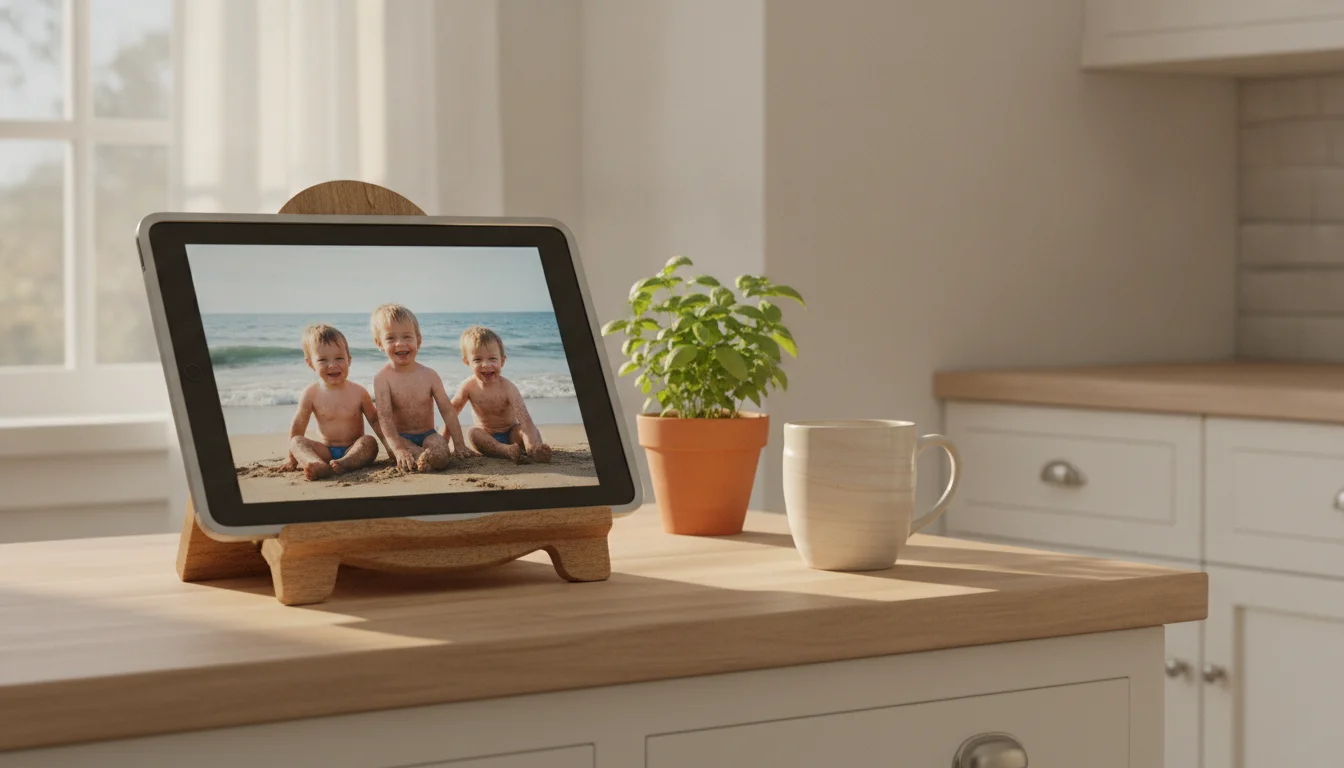
If the subscription math or the $189 sticker is what brought you to this page, the substitute you probably already own is the spare tablet in a drawer. This is the part of the site Dashpadd has been running for two years.
Take an old iPad or Android tablet. Plug it into the wall. Point a photo-frame app at a shared album. You now have a digital photo frame. The whole exercise runs on hardware you already paid for and photo services you are already using. There are two dedicated setup pieces:
- The iPad path walks through the whole thing on an old iPad, including the app pick and the auto-lock settings that trip up half of first-time setups.
- The Android tablet path is the same idea on Android, with Google Photos as the natural photo source.
- If your tablet is old enough that half the App Store says “requires a newer iOS,” our roundup of photo frame apps that still install on old iOS and Android is the shortlist worth working from.
The per-feature map against a Nixplay:
- Sharper screen. A 9.7-inch iPad runs 264 pixels per inch. The Nixplay Classic 10.1″ runs closer to 150 ppi. Faces look crisper on the iPad. This gap is smaller on the Nixplay than on some competing frames, but it is still a gap.
- Photo sources you already use. The Nixplay app pulls from Nixplay’s cloud. The iPad reads from
 iCloud Shared Albums,
  Google Photos, Dropbox, a Synology, or any folder you point it at. Ten years of organized photos stay where they are, and the Google Photos sync is not paywalled.
 - No subscription. No storage cap. No annual renewal email.
- It also does other things. The iPad on my kitchen island is a photo frame at 9 a.m., a recipe screen at 4 p.m., and an audiobook player at 7 p.m. The Nixplay is a photo frame all day.
- The cost. Hardware: $0 if the tablet already exists. A $20 stand if it does not already have a perch. Nothing else.
The honest gap: a propped-up iPad does not read as furniture the way a Nixplay Classic does. The email-invite flow the Nixplay ships with (paid tiers only) is the only one a non-technical grandparent will use without help. The Nixplay setup is genuinely five minutes; the iPad version is closer to twenty. None of these is nothing.
The broader math for this category lives in our iPad versus dedicated frame comparison. If you are cross-shopping the no-subscription premium option, our Aura Frame review covers the Carver, Aspen, and Walden the same way.
Who Should Pick Which
Four specific cases, because “everyone should use a tablet” is not useful and “always buy the Aura” is not either.
Buy the Nixplay if you specifically want a touch-screen frame with the magnetic remote and a small library. If the recipient will upload fewer than a couple hundred photos, the free tier is genuinely usable, the screen is genuinely good, and the physical remote is a thoughtful touch that Aura does not match. This is a real case, not a rescue attempt.
Buy the Aura instead if you want the same “no tablet, plug it in, done” gift with no subscription. The Aura Carver at $134 undercuts the Nixplay Classic at $189.99 on price, includes unlimited storage forever, and has the email-invite flow that non-technical relatives use unassisted. If subscription-free is the whole reason you are shopping around, this is the answer. Our Aura Frame review has the full read on the lineup.
Use the spare-iPad path if the recipient already owns a tablet and you can set it up for them. This is the most common case in 2026, and it is also the most common case that ends with the sender apologizing to themselves for spending $190. If the iPad is in a drawer, the better gift is your Saturday afternoon, a $20 stand, an app from our old-tablet roundup, and a shared album the rest of the family is already in.
If you already own a Nixplay and are staring at the subscription email, the math is different. You are not choosing between frames anymore. You are choosing between paying $19.99 to $29.99 a year to keep the library you built, trimming it under 500 MB, or moving your photo life onto an iPad-plus-app setup. There is no clean answer. The subscription is the least-friction path if the frame is on the counter and everyone likes it. The iPad path is the answer if the subscription is the thing that finally pushed you off Nixplay. Both are reasonable.
Pull the iPad Out of the Drawer First
If there is an old iPad or Android tablet somewhere in the house and you are on the fence, the cheapest experiment is the one you can run this Saturday. Tablet, a $20 stand, a photo frame app, and a shared album the family is already adding to. Try it for a month.
If the picture is not as good as you hoped, the Nixplay Classic will still be at $189.99 in December, and Black Friday will probably knock it down. If it is good enough, you have saved at least a hundred and seventy dollars, kept the tablet out of a landfill, and skipped a subscription email that shows up every year on the same day.