You Shouldn’t Have to Say “Brush Your Teeth” Fourteen Times
Every school morning in our house used to follow the same pattern. I’d tell the 8-year-old to get dressed. Then I’d tell him again. Then I’d find the 5-year-old still in pajamas watching the 3-year-old dump cereal on the floor. By 7:45 I’d said “shoes” so many times it stopped sounding like a word.
The routine was always the same. Get up, get dressed, eat breakfast, brush teeth, pack bag, shoes on. Six steps. They knew what came next. They just didn’t do it without me standing there narrating like a play-by-play announcer.
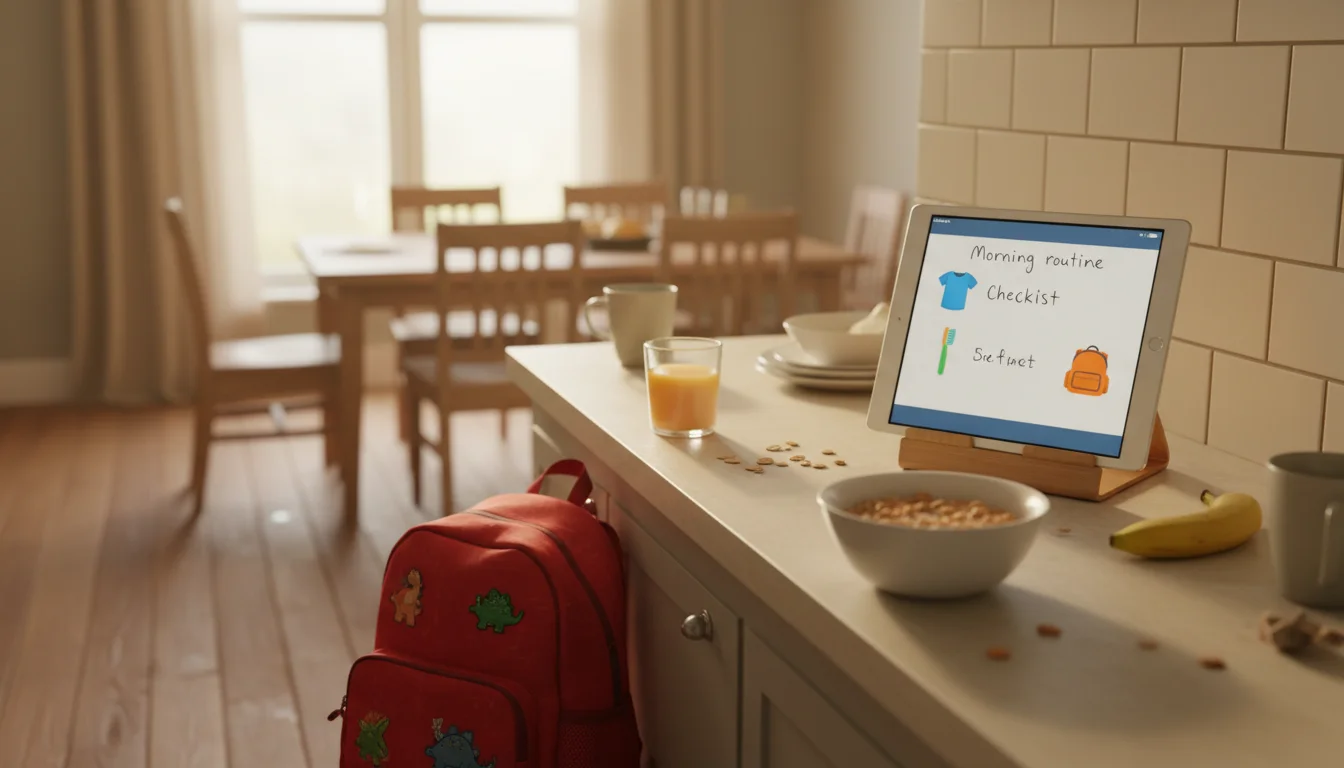
So I put the routine on a tablet. An old iPad 6th gen that was too slow for anything else, propped on the kitchen counter where the kids eat breakfast. It shows the morning checklist. They look at it instead of waiting for me to tell them what’s next.
It took about 20 minutes to set up. It’s been running since September, and most mornings I don’t say a single thing about teeth or shoes until we’re actually walking out the door. Most mornings.
Why a Tablet Works Better Than a Paper Chart
We tried paper checklists. Sticker charts. A whiteboard on the fridge. They all worked for about a week before the novelty wore off and we were back to me being the human alarm system.
The tablet morning routine board works better for a few reasons. It’s bright and visible, sitting right at eye level on the counter. The screen doesn’t get covered in jam and torn down by the 3-year-old. You can add a visual timer for steps that need a time limit, like teeth-brushing or getting dressed. You can change it in two minutes when the routine shifts for summer or holidays. And honestly, my kids pay more attention to a screen than a piece of paper. I’m not proud of it, but I’m not fighting it either. It’s also how you stop being the family secretary – the one person who holds the whole schedule.
The tablet is the display layer. You’re not handing it to the kids to play with. It sits on the counter showing the checklist, and the kids look at it the way they’d look at a clock. If you want to make sure little hands can’t switch apps or close the screen, our kid-proofing guide covers Guided Access and parental controls that lock the tablet to one app.
Pick Your Checklist App
You need something that shows a visual list of steps, ideally with pictures or icons for the kids who can’t read yet. There are fancy routine apps, but the simplest tools tend to last the longest.
 Google Keep is what we use. Free, works in any browser (important for old iPads where the app requires iOS 17+), and dead simple. You create a checklist, pin it, and open it in Safari. The text is large enough to read from across the kitchen. For my 5-year-old who’s still working on reading, I added emoji next to each step: a shirt for “get dressed,” a toothbrush for “brush teeth,” a backpack for “pack bag.” She gets it.
 Apple Reminders works if you have an old iPad and want something built-in. Create a list called “Morning” with each step as a task. The downside is you can’t add images inline, so it’s text-only. Fine for older kids, not great for the pre-readers.
 Cozi Family Organizer has a checklist feature that works in the browser (the app needs iOS 17+ so use cozi.com on old iPads). The family account means you can edit the routine from your phone while the tablet displays it in the kitchen.
For Android tablets: Google Keep installs directly on Android 8+, no browser workaround needed.  Fully Kiosk Browser (~$11 one-time) can lock the screen to your checklist page and prevent kids from navigating away.
If you’re not sure which free apps still install on your old tablet, we have a tested list of free apps by OS version that saves you the trial and error.
Build the Routine (Not the App)
The tablet just shows the list. The real work is deciding what’s on it.
Ours has six steps for school mornings:
- Get dressed (clothes are set out the night before)
- Eat breakfast
- Brush teeth
- Hair (the 8-year-old combs his own; I do the 5-year-old’s)
- Pack bag (lunch, water bottle, folder)
- Shoes and jacket by the door
That’s it. Six things. Not twelve. Not a color-coded spreadsheet with time blocks. The list needs to be short enough that a kid can hold it in their head after looking at the screen once. If it takes more than 30 seconds to read, it’s too long.
Weekend version: We swap to a shorter list – get dressed, eat breakfast, brush teeth. No bag, no time pressure. I edit the Google Keep checklist on my phone during our Sunday family check-in and the tablet shows the updated version Monday morning. The same swap works for afternoons – we run an after-school board on the same iPad covering chores, homework, and evening wind-down.
Summer and holidays: Same idea, different items. The 8-year-old’s summer list includes “read for 20 minutes” because if I don’t put it on the board, it doesn’t happen.
Age-Specific Approaches That Actually Work
Our three kids are 8, 5, and 3, and the same display doesn’t work for all of them. Here’s what we landed on.
The 8-year-old reads the checklist and does it. Most of the time. He’s old enough to look at the tablet, see what’s next, and handle it himself. The satisfaction of mentally checking things off appeals to him. Some mornings he even reminds his sister what’s next, which is either helpful or insufferable depending on his tone.
The 5-year-old can’t read all the words yet, but she follows the emoji and the order. Shirt emoji means get dressed. Toothbrush emoji means brush teeth. She knows the sequence by heart at this point. The tablet is really just a visual anchor so she doesn’t get distracted between steps – which, at five, happens every 90 seconds. I still help with hair and double-check the bag, but I’m not repeating the sequence anymore.
The 3-year-old doesn’t use the routine board. She’s three. She dumps things and wanders off and that’s developmentally appropriate. What I did for her is put a photo of her getting dressed at the top of a separate Google Keep note, just so she feels included when the older two are looking at the tablet. She points at herself and says “me!” and then goes back to whatever destruction she was working on. It helps. Slightly.
Make the Tablet Invisible (in a Good Way)
The morning routine board only works if the kids see it without thinking about it. That means the tablet needs to be on and showing the checklist before they come downstairs. Here’s the setup.
Always-on display: Plug the tablet in and disable auto-lock. On iPad: Settings > Display & Brightness > Auto-Lock > Never. On Android: Settings > Display > Screen Timeout > 30 minutes (or use Fully Kiosk Browser to keep the screen on indefinitely). Our complete setup guide covers always-on settings for every tablet generation if you need the full walkthrough.
Open the checklist at night: Before you go to bed, make sure the browser or app is open to the morning list. This takes five seconds and means the kids see the routine the moment they walk in. If you use Guided Access on iPad (Settings > Accessibility > Guided Access on iOS 13+, or Settings > General > Accessibility > Guided Access on iOS 12), the app stays open even if someone taps the home button.
Position it where they eat. Not on a shelf across the room. Not on the fridge. On the counter or table where the kids sit for breakfast, at their eye level. Ours is propped against the backsplash with a simple stand. They see it before they see the cereal boxes.
Brightness matters. Turn the brightness up to about 70%. Auto-brightness on old tablets tends to dim the screen in kitchens that aren’t well-lit in the early morning, and a dim screen gets ignored. Manually set it and leave it.
When It Stops Working (and the Fix)
It will stop working. Around week three, the novelty fades. Your kid will walk past the tablet, glance at it, and still come ask you what’s next. This is the test.
The fix is not adding more features to the board. It’s not gamification or reward points or a fancier app. The fix is one sentence: “Check the board.”
Every time someone asks “what do I do next?” you say “check the board.” Not “get dressed” or “brush your teeth.” Just “check the board.” You are redirecting them to the system instead of being the system. After a week of this, they stop asking and start looking.
The other thing that helps is consistency. The routine board works because it’s always there, always showing the same thing, always in the same spot. If you turn off the tablet for a few days or change the routine constantly, the kids lose trust in it and default back to asking you. Pick a routine, put it up, and leave it alone for at least a month.
The Morning I Knew It Worked
It was a Thursday in October. I came downstairs at 7:15 and the 8-year-old was already dressed, eating toast, and had his backpack by the door. The 5-year-old was brushing her teeth. Nobody had asked me anything. The 3-year-old was, admittedly, drawing on herself with a marker, but two out of three is a victory I’ll take every single time.
The tablet didn’t make my kids more responsible. It just gave them something to follow that wasn’t my voice. The routine was always the same. They just needed to see it instead of hear it.
And on the mornings it falls apart – because it will, regularly – at least I only have to say one thing instead of six: “Check the board.” For more ways that old tablet can work for your whole family, we have a running list of ideas that keeps growing.