You Can’t See Your Phone From Plank Position
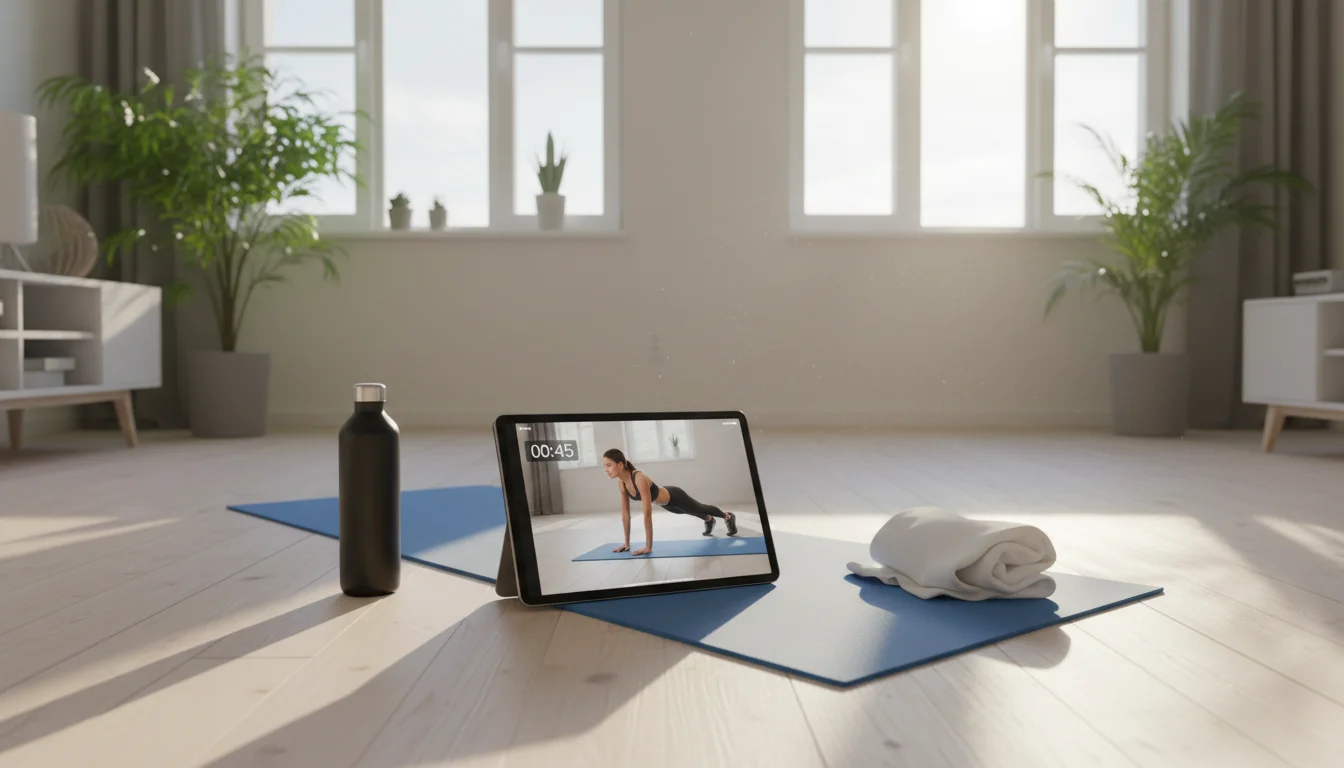
Following a workout video on your phone while you’re face-down on a yoga mat is an exercise in frustration. The screen is tiny. You can’t read it from across the room. You pause, crawl over, squint, get back down – and by then the rest interval is over.
I started using an old iPad Air 2 for this after one too many yoga sessions spent army-crawling across the floor to see what pose came next. Propped the tablet on a low shelf against the wall, loaded up a Yoga with Adriene video, and that was it. I could actually see what she was doing from the other side of the room. Bigger screen, better workout. No money spent.
Where to Put It (This Matters More Than the App)
I tried a few spots before getting this right.
For anything on the floor (yoga, Pilates, stretching), the tablet needs to be low – on the floor propped against a wall, or on a shelf at about 12-18 inches (30-45 cm). You’re looking at it from lying and seated positions, so eye level means knee level.
Standing workouts (HIIT, dance) need the tablet higher. A shelf at about 60 inches (150 cm) works, or a wall mount if you want it permanent.
If your workouts mix both (most do), a shelf at about 36 inches (90 cm) splits the difference. A $12 tablet stand on a shelf is all you need.
The audio matters too. Built-in tablet speakers are fine for yoga where the instructor is mostly talking. For anything with music, connect a Bluetooth speaker. I use an old JBL Flip on the floor next to the tablet and it fills our spare room.
The One App You Probably Already Have
 YouTube (Free – iOS 16+ or Android)
I’m putting this first because it’s genuinely all most people need. The amount of free workout content on YouTube is absurd. I rotate between maybe four channels:
- Yoga with Adriene for yoga (obviously). She’s popular for a reason – beginner-friendly, low-key, and you don’t need any equipment.
- POPSUGAR Fitness for HIIT and dance workouts when I want something more energetic.
- Fitness Blender for structured no-equipment programs. They have multi-week plans you can follow.
- Blogilates if Pilates is your thing. She’s more upbeat than I can handle before coffee, but the workouts are solid.
Mark uses Jeff Nippard and Athlean-X for strength stuff. Different vibe, but the tablet screen makes form checks actually useful.
The iOS catch: The YouTube app needs iOS 16. If your iPad is stuck on iOS 15 or earlier, just open  youtube.com in Safari. It works fine for following along – you just don’t get the app’s queuing features.
YouTube Premium ($14/month) removes mid-workout ads. Nothing kills momentum like a 30-second mattress ad during a plank hold. Whether that’s worth $14/month is up to you – I caved after the third time it happened.
Other Apps Worth Knowing About
iOS heads-up: Mark checked the App Store requirements for all of these, and the picture is rough. Nike Training Club and Peloton both need iOS 17, which rules out most old iPads. If your iPad is stuck on iOS 15 or earlier, your realistic options are Down Dog (iOS 12+), Apple Fitness+ (iOS 16.1+), and YouTube through Safari. Android tablets can run all of these.
Down Dog (Free / $10/month – iPad & Android)
This is my actual recommendation if you want yoga specifically. It generates a unique sequence every session – you pick the style (Vinyasa, Hatha, Restorative), duration, and focus area, and it builds a practice for you. No repeating the same class you already memorized.
Works on iOS 12 and up, which makes it one of the few fitness apps that runs on every old iPad out there. I use the free tier and it’s plenty.
Nike Training Club (Free – iOS 17+ or Android)
Free, no premium tier, no subscriptions. Hundreds of workouts from 5-45 minutes with video demonstrations. If this runs on your device, it’s hard to argue with free.
But: It requires iOS 17, so it’s Android-only territory for old tablets. If you’ve got an old Samsung or similar, this is excellent.
Peloton App ($16/month – iOS 17+ or Android)
You don’t need the bike. The app has strength, yoga, cardio, meditation, stretching. The instructors are genuinely good and the production quality is noticeably higher than YouTube. Whether that’s worth $16/month when YouTube is free is a personal call.
Also needs iOS 17. Same story as Nike Training Club – Android tablets run it, old iPads don’t.
Samsung Health (Free – Android)
If your old tablet is a Galaxy Tab, this is already installed. Guided workouts, exercise programs, no subscription. Not as deep as the others, but it’s there and it’s free.
Apple Fitness+ ($10/month, iPad – iOS 16.1+)
High-quality video workouts across every category. If you have an Apple Watch, it shows your heart rate on-screen during workouts, which is a nice touch. Requires iPadOS 16.1, so this is for iPads that are old-ish but not ancient.
Taking It Outside
The tablet goes to the patio, the garage, or the backyard just as easily as your phone does – with a screen you can actually see from 10 feet away.
One thing to know: old tablets are harder to read in direct sunlight. Position the screen in shade and crank the brightness. Android tablets tend to get dimmer with age, so a shaded spot helps a lot.
If You Do Your Own Workouts
Not everyone follows videos. If you run your own program, the tablet makes a great visible timer:
 Strong (free with premium, both platforms) logs your workouts and runs rest timers between sets. Mark uses this one.
- Seconds (free with premium, both platforms) does interval timing with voice announcements so you don’t have to look at the screen mid-set.
The bigger screen means you can see your rest timer from across the room. Beats squinting at a watch while your hands are chalky.
Get Started
Grab the old tablet, prop it on a shelf, and pull up a YouTube workout. That’s genuinely it. I spent maybe two minutes setting mine up the first time and it’s been on that shelf for months now. The 8-year-old sometimes uses it for Just Dance videos, which was not the plan but I’m not complaining.
Once the tablet earns its keep in the gym corner, you might want to repurpose another one. Our old iPad ideas guide has plenty more projects to choose from.