Stop Letting Your Phone DJ
Every time your phone plays music, you’re one notification away from killing it. A phone call pauses Spotify. A video in the group chat steals the audio. Your kid borrows your phone and suddenly the kitchen is silent.
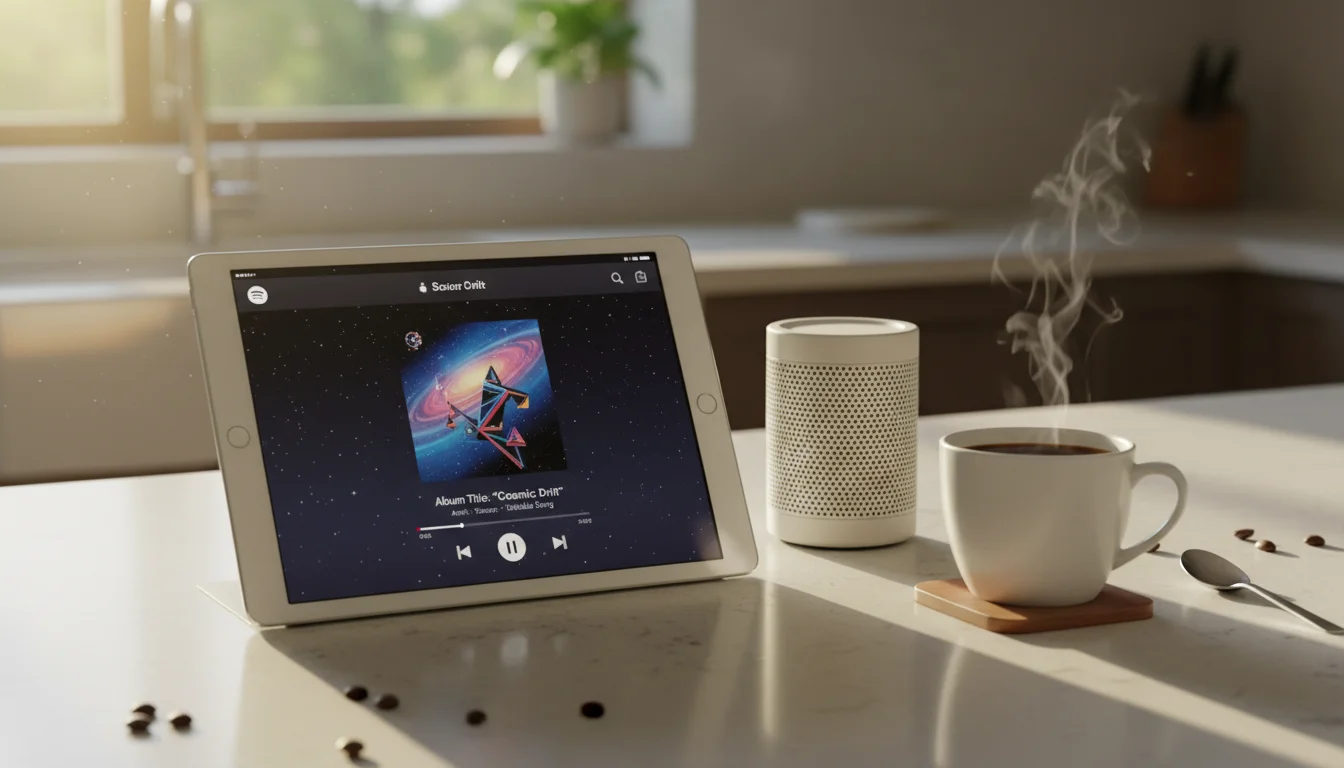
An old iPad or Android tablet connected to a speaker fixes this. It does one thing: play music. No calls, no notifications, no interruptions. Leave it on the counter or in the workshop.
The Setup
- Connect the tablet to a speaker via Bluetooth or AUX cable
- Install Spotify, Apple Music, YouTube Music, or your preferred service
- Download playlists for offline listening (saves Wi-Fi bandwidth and avoids buffering)
- Set Auto-Lock to 5 minutes (it doesn’t need to be always-on)
- Leave it where you listen to music most
That’s it. A dedicated music player in under 5 minutes.
Why It’s Better Than Your Phone
- No interruptions – calls, texts, and notifications don’t pause your music
- Bigger screen – browse albums and playlists more comfortably
- Battery independence – your phone battery isn’t drained by streaming music
- Dedicated controls – leave Spotify open all the time, always ready
- Kids can’t reach it – give the kids your phone, keep the music going
Streaming Services on Old Tablets
iOS heads-up: Mark checked the App Store requirements for the major streaming services, and several have moved past what old iPads can run. Here’s the current picture:
| Service | Min iOS | Min Android | Offline? | Free Tier? |
|---|---|---|---|---|
| Apple Music | Any (built-in) | Android 8 | Yes | No |
 Pandora Pandora |
iOS 15 | Android 8 | Premium | Yes (ads) |
| Spotify |
iOS 16.1 | Android 8 | Premium | Yes (ads) |
| YouTube Music |
iOS 16 | Android 8 | Premium | Yes (ads) |
| Amazon Music |
iOS 16 | Android 8 | Some | With Prime |
Apple Music is the only streaming service that works on every old iPad – it’s built into the Music app on all iOS versions. Pandora still supports iOS 15. Spotify, YouTube Music, and Amazon Music all need iOS 16+, which excludes most old iPads. Android tablets have no issues with any of these.
If your iPad is too old for Spotify or others: Try the web version in the browser. Most streaming services work in Safari or Chrome. open.spotify.com and music.youtube.com are your best bets, though older Safari versions may have limited support.
Your Personal Music Library
If you have a collection of MP3s, CDs ripped to files, or music purchased from iTunes, your old tablet can play them without any streaming subscription:
- Apple Music app (iPad) – sync your iTunes library via iCloud Music Library or a USB cable
- VLC (free, iPad & Android) – plays any audio format (MP3, FLAC, AAC, OGG). Works on all old iPads (iOS 12+). The Swiss army knife of media players.
 Poweramp (Android, $5) – the best local music player on Android, with equalizer and library management
- Plex (iOS 16+ or Android) – if your music lives on a home server, Plex streams it to any tablet. The app needs iOS 16, but
 app.plex.tv works in a browser on older iPads
Speaker Options
Bluetooth Speaker ($20-100)
The simplest connection. Pair once, auto-connect thereafter.
Budget:  JBL Go 3 ($30) or
  Anker Soundcore ($25) – small, portable, decent sound
Mid-range: JBL Flip 6 ($100) – louder, better bass, waterproof
Living room:
Anker Soundcore ($25) – small, portable, decent sound
Mid-range: JBL Flip 6 ($100) – louder, better bass, waterproof
Living room:  Sonos Roam ($180) – premium sound, multi-room support
AUX Cable ($5)
A 3.5mm AUX cable from the tablet’s headphone jack to a speaker or stereo. Zero latency, no pairing issues, dead simple. Older iPads and most Android tablets still have headphone jacks – this was before manufacturers started removing them.
AirPlay to Existing Speakers (iPad)
If you have a HomePod, Apple TV, or AirPlay-compatible speaker, the iPad can stream to it wirelessly without Bluetooth pairing. Open Control Center → AirPlay → select the speaker.
Google Cast (Android & iPad)
If you have Google/Nest speakers, any tablet can cast audio to them through Spotify or YouTube Music. Android tablets with Google Cast built in make this especially seamless.
Whole-Home Audio
With Sonos, AirPlay 2, or Google Cast, the tablet can control music across multiple rooms simultaneously. This is where the larger tablet screen really shines – managing room groups, volumes, and what’s playing where. If the same tablet is already sitting in the living room, it can pull double duty as a media remote for the TV and speakers too.
The Workshop / Garage / Kitchen Player
This might be the most common use for a music-dedicated old tablet. Put it in the room where you spend time and want background music:
- Kitchen – on a stand near the counter, connected to a small Bluetooth speaker
- Workshop / garage – mounted on a shelf, AUX cable to a decent speaker
- Home office – on your desk as a focus music player or wireless macro pad
- Bedroom – on the nightstand, playing sleep sounds or soft music at bedtime
Put it in a cheap case (it’ll get dusty and possibly greasy), keep a charger nearby, and leave Spotify open. That’s the whole setup. Android tablets in silicone cases are especially good for workshops – they can take a beating.
Podcasts and Audiobooks Too
A dedicated tablet music player naturally doubles as a podcast and audiobook player:
- Apple Podcasts (free, built-in on iPad) – download episodes for offline listening. Works on every iPad.
- Pocket Casts (free, iOS 16+ or Android) – great podcast app with smart speed and voice boost. Google Podcasts was discontinued in April 2024.
- Libby (free, both platforms) – audiobooks from your public library. Works on old iPads (iOS 10+).
- Audible ($15/month, iOS 18+ or Android) – audiobooks. iOS warning: Now requires iOS 18.0, so it won’t install on old iPads. You can listen at audible.com in Safari.
Connect to a Bluetooth speaker while you cook, clean, or work out. Any tablet handles audio playback smoothly regardless of age – it’s not a demanding task.
Quick Setup
- Connect to a speaker (Bluetooth or AUX)
- Install Spotify, Apple Music, or your preferred service
- Download your favorite playlists offline
- Put it where you listen to music most
- Press play
Your old tablet just became the dedicated music player you never knew you wanted. Your phone stays in your pocket, your music keeps playing, and nobody’s FaceTime call interrupts the vibe.
If you’ve got a second old tablet (or this one pulls double duty), take a look at our full list of old iPad ideas for more inspiration.