Glanceable Weather, Always Visible
Checking the weather is something you do multiple times a day. Should the kids wear jackets? Do I need an umbrella? Is the soccer game going to get rained out? Every time, you pull out your phone, wait for it to load, and then put it back.
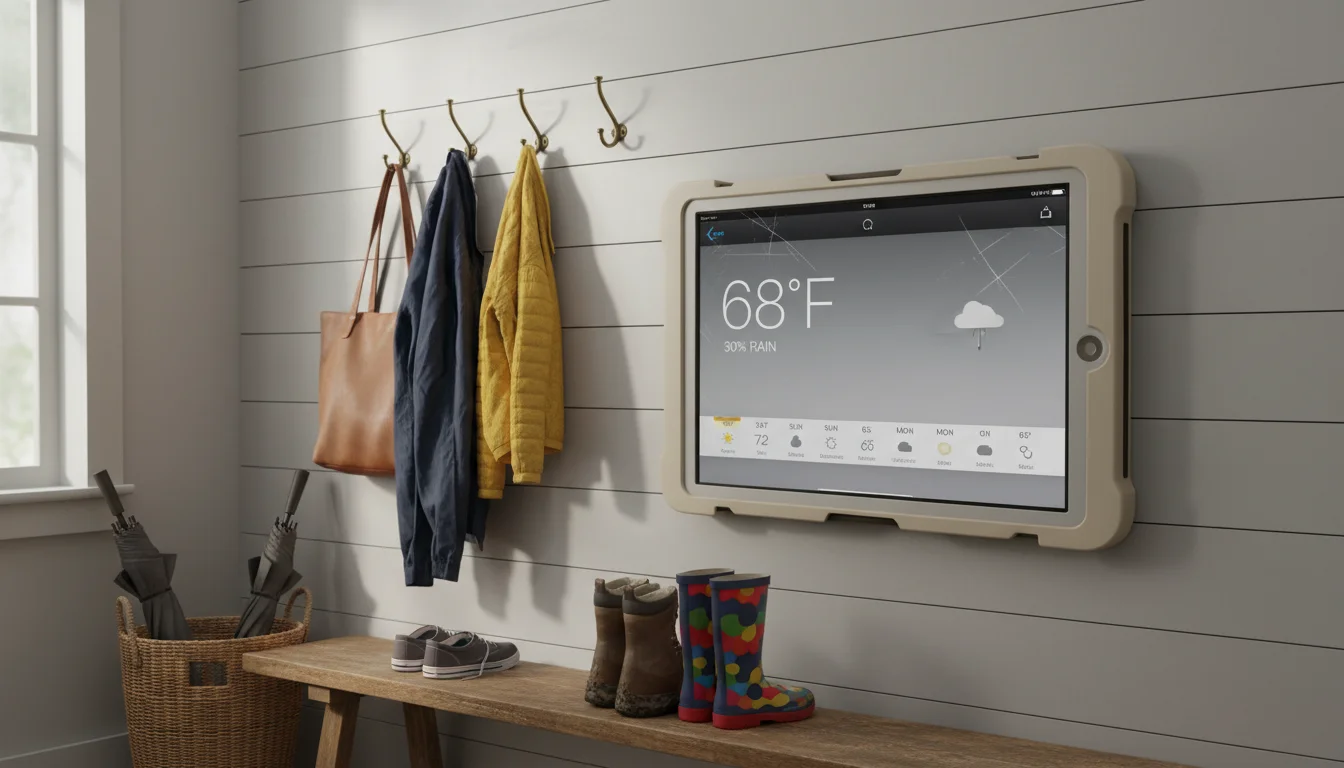
An old iPad on the counter or wall, showing the forecast all day, solves this in the most low-effort way possible. Glance at it while pouring coffee. Check the radar while making lunch. See the hourly forecast before heading out. No unlocking, no tapping, no waiting.
This works just as well with an old Android tablet – a Galaxy Tab from 2018 or a Fire tablet you got on Prime Day will do the job perfectly.
The 2-Minute Setup
- Go to weather.com in Safari or Chrome (works on any tablet, any age)
- Set your location
- Leave it open
- Go to Settings → Display & Brightness → Auto-Lock → Never (on Android: Settings → Display → Screen Timeout → 30 minutes or use a stay-awake app)
That’s a working weather station. It shows current conditions, hourly forecast, and the 10-day outlook. For most people, this is honestly enough.
But if you want something better – a full-screen radar, multiple locations, or a dashboard that combines weather with other information – here are the best options.
Best Weather Station Apps for Old Tablets
Weather Underground (Free – iPad & Android)
The best weather app for hyperlocal accuracy.  Weather Underground pulls data from thousands of personal weather stations, so instead of showing “New York City: 45°F,” it shows conditions from a station a few blocks from your house. The difference matters when you’re deciding between a rain jacket and a parka.
The app shows current conditions, hourly forecast, radar, and severe weather alerts. Leave it on the radar view for the most useful always-on display – you can see precipitation moving toward you in real time.
Works great on older Android tablets – a Galaxy Tab A handles it without issues. On iPad, the app requires iOS 14+, so iPads stuck on iOS 12 or 13 can’t install it. If that’s you, wunderground.com in Safari gives you most of the same data.
Windy (Free – iPad, Android & Browser)
If you want animated weather maps, Windy is the app. Wind patterns, precipitation, temperature layers – all moving in real time. It looks like what TV meteorologists use, and it’s free.
Windy works in the browser (windy.com) or as a native app. For old iPads, use the browser – the native app now requires iOS 16.6 and won’t install on anything older. The browser version is actually better for an always-on display anyway, since it doesn’t need app updates and works on any tablet with a web browser.
Apple Weather (Free, iPadOS 16+ Only)
If your iPad runs iPadOS 16 or later, the built-in Weather app is clean and readable – a solid default choice. But Apple Weather was first added to iPad in iPadOS 16, so if your iPad is stuck on iOS 15 or earlier, it’s simply not there. For older iPads, go with weather.com or wunderground.com in Safari instead.
Overdrop (Free – Android)
For Android tablets,  Overdrop is one of the cleanest weather apps available. Beautiful interface, multiple weather providers to choose from, and a home screen widget that works well on tablets. If your old Android tablet can’t run the latest Weather Underground, Overdrop is a great alternative.
DAKboard with Weather Widget (Free Tier – Browser)
If you want weather alongside your calendar and photos,  DAKboard combines them on a single screen. The weather widget shows current conditions and a 5-day forecast. Set your zip code and it updates automatically.
This is the best option if you don’t want a dedicated weather station but want to include weather in a broader dashboard. Works on any tablet with a browser.
If you’re not sure which of these apps will actually install on your specific tablet, we put together a full weather app compatibility guide with minimum iOS and Android versions for each one.
Making It Useful, Not Just Pretty
What to Show
The most useful weather display for a family shows:
- Current temperature – big and readable from across the room
- “Feels like” temperature – more useful than the actual temp for deciding what to wear
- Today’s high/low – know what’s coming
- Precipitation probability – the one number everyone actually cares about
- Next 12 hours – the hourly forecast covers “do I need an umbrella for the afternoon?”
Radar is great for weather enthusiasts, but for family use, a simple forecast view is more practical. You want the answer to “do I need a jacket?” visible in 2 seconds.
Severe Weather Alerts
This is where a weather station on your wall genuinely earns its spot. Most weather apps can show push notification-style alerts for:
- Tornado warnings
- Severe thunderstorm warnings
- Flash flood watches
- Winter storm warnings
- Extreme heat advisories
On a phone, these notifications compete with everything else. On a dedicated weather display, a red alert banner is immediately noticeable. Worth setting up if you’re in a region that gets severe weather.
How to enable:
- Weather Underground: Settings → Alert Types → turn on what matters
- Apple Weather (iPadOS 16+): Settings → Weather → Notifications → Severe Weather → On
- Windy: Settings → Alerts → set your location and thresholds
- On Android: most weather apps have a Notifications section in settings for severe alerts
Where to Put Your Weather Station
The ideal spot is wherever you make the “what should I wear?” decision:
- By the front door or in the entryway – last thing you see before heading out
- In the kitchen – visible during breakfast prep, when you’re planning the day
- In the mudroom – where you grab coats and umbrellas
A tablet on a $12 stand works great on a counter or shelf. If you want it on the wall, a flush-mount bracket keeps it clean – see our guide to tablet mounts and stands for options that actually look good.
If you’re already running a kitchen display with a calendar, consider adding weather to the same screen using DAKboard or a similar dashboard. One tablet, multiple functions.
Using It as a Real Weather Station
Want to go beyond forecasts? Pair your tablet display with an actual weather sensor and you get a real-time weather station showing data from your own backyard.
Ambient Weather (Sensor + App, $80-200)
 Ambient Weather sells weather stations that measure temperature, humidity, wind speed, rainfall, and barometric pressure. The data syncs to their app and website. Open ambientweather.net on your iPad or Android tablet and you have a professional-looking weather station dashboard showing your actual outdoor conditions – not an estimate from a station 5 miles (8 km) away.
Ecowitt (Sensor + App, $30-100)
Budget-friendly alternative.  Ecowitt sensors are less polished but very accurate. Their app displays data cleanly on a tablet screen and works on both iPad and Android. A basic outdoor temperature and humidity sensor starts at about $30.
Existing Sensor? Check If It Has a Web Dashboard
If you already have a  Netatmo,
  Davis,
  WeatherFlow, or similar weather station, check if it has a web dashboard. Most do. Open it in Safari or Chrome on your old tablet and you’ve just upgraded from checking the app on your phone to having a permanent display.
iPad Mini as a Weather Station
The iPad mini is actually the perfect size for a dedicated weather station. It’s big enough to read from across the room but small enough to tuck into a shelf or mount beside the front door without looking like a billboard. An iPad mini 2 or 3 running iOS 12 can still handle Windy in the browser, wunderground.com, weather.com, or any web-based dashboard. If yours is collecting dust in a drawer, this is one of the best uses for it.
Quick Start
| What You Want | Best Option | Works On | Cost | Time |
|---|---|---|---|---|
| Basic forecast display | Weather.com or Apple Weather (iPadOS 16+) | Any browser / iPad | Free | 2 min |
| Hyperlocal forecast | Weather Underground app | iPad & Android | Free | 5 min |
| Beautiful animated radar | Windy (browser) | Any tablet | Free | 3 min |
| Clean Android weather | Overdrop | Android | Free | 5 min |
| Weather + calendar + photos | DAKboard | Any tablet | Free | 10 min |
| Real backyard weather data | Ambient Weather sensor + web app | Any tablet | $80-200 | 30 min |
For most families, Weather Underground on an old iPad or Android tablet on a $12 stand by the front door is the sweet spot. Total investment: $12 and 5 minutes. And you’ll never send the kids out without jackets again.