Why the Echo Show Keeps Showing Up
The Echo Show shows up in roughly three places in my week. A friend’s kitchen counter, where her seven-year-old asks Alexa what the weather is on the way out the door. The “smart display” recommendation lists on the parenting Facebook groups I lurk in. And in my Search Console logs, where “echo show alternative” has been a steady trickle of traffic onto a Dashpadd page that was, frankly, more polemic than review. So I sat down to do what the reader is doing: read the published reviews, watch the family-tech videos, and write up what’s actually there alongside the spare-tablet path some readers come here for.
I haven’t lived with an Echo Show. I want to be clear about that up front. What’s below is a meta-review built on the reviews that did, plus the three costs nobody puts on the spec sheet, plus an honest look at the tablet route.
The  Echo Show line is Amazon’s family of Alexa-powered smart displays. Five sizes are on shelves as of June 2026, from a $89.99 nightstand model up to a $399 21-inch wall-mount. The 2025 hardware refresh on the Echo Show 8 and the brand-new Echo Show 11 are the models marketed hardest right now. Both are designed around Alexa+, Amazon’s new subscription AI assistant. That subscription is the part the marketing copy doesn’t lead with, and it’s the part that changes the math.
The 2026 Echo Show Lineup, in Plain English
Amazon’s smart-display range got crowded fast. Five sizes are on shelves right now. Here’s what each one is for and what it costs in the US.
- Echo Show 5 ($89.99). 5.5-inch tabletop, the nightstand-clock model. Targeting the bedroom or a small desk.
- Echo Show 8 ($179.99). 8-inch tabletop. The “kitchen counter” default. The 2025 refresh moves to a larger 8.7-inch HD screen on a spheroid base, with the AZ3 Pro chip designed for Alexa+.
- Echo Show 11 ($219.99). Released November 2025. Same family as the new Show 8, just larger at 11 inches with a 1920×1200 LCD. Slots between the counter model and the wall mounts.
- Echo Show 15 ($299). 15.6-inch wall-mountable. Sized like a small piece of wall art. Ships with the wall mount and an Alexa Voice Remote.
- Echo Show 21 ($399). 21-inch 1080p wall-mountable, the biggest of the line, pitched as a family command center for the kitchen or hallway.
The 15 and 21 include the wall mount and the Voice Remote in the box. The optional Premium Adjustable Stand for either is another $99 if you want it on a countertop instead. The 8 and 11 include a basic stand; the Adjustable Stand is $34.99 extra.
So an Echo Show 21 set up the way most families want it – wall-mounted and running – is $399 out the door. An Echo Show 15 is $299. Both numbers before the part of the bill nobody mentions. If the wall-mount pair is specifically what brought you here, the Echo Show 15 alternative covers the Prime subscription math for those two models in more detail.
What the Reviews Actually Say
I read through coverage from  Tom’s Guide on the 2025 Echo Show 8,
  The Ambient on the same model,
  TrustedReviews and Tom’s Guide again on the Show 21, and
  CGMagazine on the Show 11. The reviewers’ households are different. Their lists converge.
The 2025 hardware is a real step up. Tom’s Guide called the redesigned Show 8 “the smart display reimagined,” singling out the larger 8.7-inch HD panel, the slim screen on a spheroid base, and the audio that finally sounds like a music speaker rather than a kitchen radio. The Show 11 picks up the same design language at 11 inches. The Show 21, sized like a kitchen TV, reads as the natural family hub of the line.
Voice and Alexa+ are the point. The new Alexa+ assistant is what these devices are built around. Conversational queries, multi-step routines, the “set up my morning” type of command. Reviewers consistently report that voice control during cooking is the feature you stop noticing because it works – hands covered in flour, baby on hip, walking past the kitchen on the way somewhere.
Drop-in calling is the family feature that lands. If half your extended family already has an Echo Show, a “drop-in” video call from grandma’s display turning on and showing your kitchen is lower-friction than a FaceTime invite. Most family reviewers single this out as the thing relatives actually use.
Setup is fast. Plug in, scan a QR code with the phone, sign into Amazon, done. Three minutes is the figure that comes up across reviews.
The things reviewers consistently flag are the ones the marketing doesn’t lead with:
- The default home screen rotates Amazon’s choice of content widgets, not yours. You can rearrange. You can’t make it just show your calendar all day.
- App ecosystem is Amazon’s, not the App Store or Play Store. Your kid’s school portal, your specific gym’s schedule, the niche family chore app you’ve used for years – mostly not on the Echo Show.
- The screen looks great from across the room and noticeably less great up close. The Show 21 at 21 inches and 1080p is about 105 pixels per inch. A 2018 iPad sits at 264. Same picture, sharper text.
- The mic is always listening for the wake word. That’s the device’s job. For some households it’s invisible; for others it’s the dealbreaker.
That’s the device. Reviews are mostly positive from people using the 2025-and-later hardware, with a consistent set of asterisks that don’t make the marketing copy.
The Three Costs the Reviews Tend to Skip
Here’s what doesn’t make the spec sheet, but does change the math.
Ads on the home screen
The Echo Show home screen has always carried “things you might like” prompts. What’s changed in the last year is the scale.  TechSpot and
  Android Police both covered the same user revolt: full-screen ads now rotate among the calendar and weather widgets, including on devices set to display personal photos. The ad shows when the display detects someone more than four feet away; closer up, it sits in the first tile of the home screen. Reddit threads catalogue owners returning the device over it. Amazon’s response has been that it will “continue to evolve” the experience. The setting to fully disable promotions does not currently exist.
The tablet has no equivalent. The screen shows whatever app you opened it to.
The Alexa+ subscription
This is the 2026 story. The AI features the marketing centers on – the conversational Alexa, the routines, the photo-to-calendar parsing – run on Alexa+. Alexa+ is a paid subscription. It’s free for Prime members and $19.99 a month for everyone else. Prime is $14.99 a month or $139 a year on its own.
If you’re a Prime household, nothing changes here. If you’re not, the Echo Show you bought either runs the old Alexa (the one most people remember complaining about) or runs the new one with a $240-a-year subscription attached. Most “Echo Show alternative” reviews I’ve read don’t mention this at all. It changes the math.
The “one update from brick” risk
This one is more recent. Echo Show owners keep surfacing the same story across home-automation and jailbreak forums: an Amazon update bricks the device on the boot screen, support can’t or won’t help, and the path back is reflashing it with LineageOS or a similar third-party build.  Derek Seaman’s writeup on jailbreaking the Show 5 and Show 8 is the readable version of what’s happening on
  XDA’s Echo Show forums.
The Echo Show is a device Amazon controls. The firmware is theirs. When they end-of-life a model or push a bad update, you find out the same time everyone else does. An old iPad still boots even if Apple stopped releasing iOS updates for it. The hardware is yours.
Where to Buy It
Echo Show lineup – from $89.99 on Amazon.
That’s an affiliate link. If you click through and buy any model, Dashpadd earns a small commission and your price stays the same. The Show 5 sits at $89.99, the Show 8 at $179.99, the Show 11 at $219.99, the Show 15 at $299, and the Show 21 at $399. Amazon’s Prime Day and Black Friday discounts on this line are real and worth waiting for if you have a couple of months. Echo devices ship with a 90-day return window when bought direct from Amazon, longer than the standard 30 days on general Amazon orders.
If you’ve read this far and decided the Echo Show is the right device for your household, the link above is the cleanest way to buy it.
The Cheaper Echo Show Alternative (If Price Is Why You’re Here)
About half the readers landing on this page are doing late-stage device research. The rest searched “echo show alternative” because $300 to $400 plus a possible $240-a-year subscription felt like a lot for a kitchen screen, and they wanted to know what else is out there. If that’s you: the most common substitute is something you probably already own.
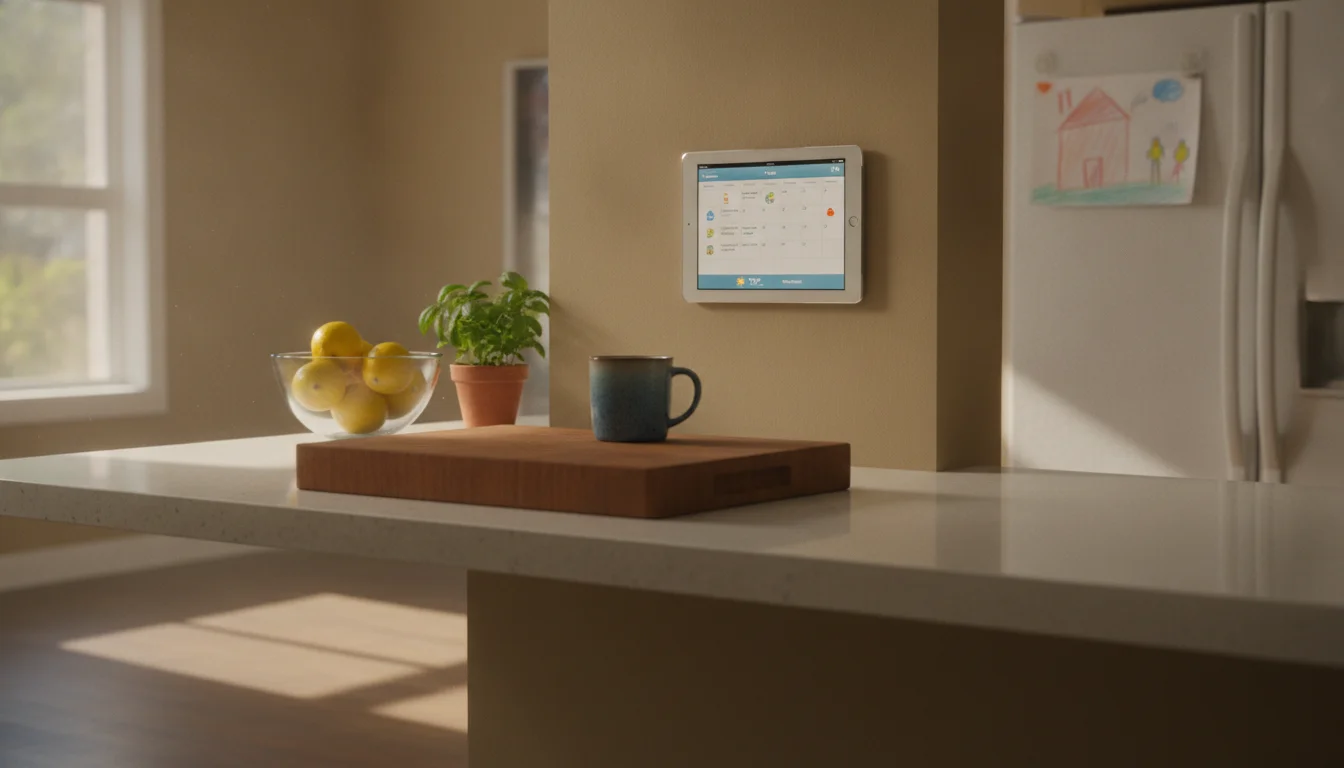
Take an iPad or Android tablet you already have in a drawer. Plug it into the wall. Open  Google Calendar in landscape. You now have a wall-mounted family calendar. No microphone listening, no rotating ads, no Alexa+ subscription. The voice control isn’t as good. Almost everything else is at least as good.
The per-feature map of what a spare tablet handles for free:
- Shared calendar. Google Calendar is free. Apple Calendar is already on the iPad. Both color-code across household devices.
- Weather. Any weather app. A locked landscape window of your favorite one fills a mounted tablet nicely.
- Photo slideshow. Google Photos shared library or iCloud Shared Albums on slideshow. The Echo Show’s photo frame mode is good; your tablet’s is fine and ad-free.
- A bigger app library. The Echo Show runs Amazon’s app environment plus a handful of partners. The tablet runs every app in the App Store or Play Store, including your kid’s school portal, your gym’s class schedule, and the family chore app you’ve used since the first kid was born.
- A sharper screen. A 9.7-inch iPad has 264 pixels per inch versus the Show 21’s 105. The Echo Show is fine from across the room. The tablet looks better up close.
- A dashboard look.
 DAKboard has a free browser tier that fills the screen with calendar, weather, and photos. As of July 2026 the free tier also runs the base TouchHub interactive layer and Home Assistant control; the shared chore chart with points and a family leaderboard sits on Essential ($6/month) or Plus, with a meal planner coming – see our family chore chart on a tablet writeup. Set the tablet to never sleep, lock the browser to that tab, done.
 - The install. A tablet mount, a charging cable behind the cabinet, screen set to never sleep. The full walkthrough is in our iPad family calendar guide. The app picks are in our calendar app comparison.
The honest gap, because pretending otherwise would be silly: the tablet’s voice control is meaningfully worse than Alexa’s for kitchen-style commands. Siri and Google Assistant aren’t as polished, and neither is hands-free in the same way. Drop-in family video calls are easier on Echo Show than on a tablet if the rest of your family is already on the Amazon ecosystem. And a brand-new mounted iPad doesn’t read like furniture out of the box.
The Three-Year Cost, Side by Side
Numbers are clarifying. Here’s what each path costs across three years for the most common kitchen setup.
| Path | Hardware | Subscription (3 yr) | Total |
|---|---|---|---|
| Old tablet you already own + Google Calendar + wall mount | ~$25 mount | $0 | ~$25 |
| Old tablet + DAKboard Essential ($6/mo) | ~$25 mount | $216 | ~$241 |
| Echo Show 8, no Alexa+, no Prime | $179.99 | $0 | ~$180 |
| Echo Show 8 + Alexa+ standalone ($19.99/mo) | $179.99 | $720 | ~$900 |
| Echo Show 15 + Alexa+ standalone | $299 | $720 | ~$1,019 |
| Echo Show 21 + Alexa+ standalone | $399 | $720 | ~$1,119 |
| Echo Show 21, Prime household (Alexa+ included) | $399 | $0 marginal | ~$399 |
If you’re already a Prime household and the subscription is sunk cost, the gap between “tablet you already own” and “Echo Show 21” is roughly $375. If you’re not on Prime, the gap to the full-feature Show 21 is closer to $1,100.
If you’re comparing against the higher end of the dedicated-display market, the Hearth Display breakdown covers the $700 wall calendar the same way, and the Aura Frame breakdown covers the photo-frame category. The broader category comparison lives in our old tablet vs smart display guide.
Who Should Pick Which
A few specific cases, because “everyone should use a tablet” isn’t useful.
Buy the Echo Show if voice is the primary interface. Wet kitchen hands, mobility limitations, sight limitations, any situation where touching the screen is the wrong primary input. Alexa is meaningfully better at this than Siri or Google Assistant for kitchen-context commands. If voice is the device’s job, the Echo Show is the right tool.
Buy the Echo Show if your family is already on it. Drop-in calling is the feature with the strongest network effect in this category. If three relatives have Echo Shows and that’s how the family stays in touch, buying into the same ecosystem makes sense. The compatibility is the value.
Buy the Echo Show if there’s no spare tablet in the drawer and you want the simpler setup. A new entry-level iPad is $349 plus a mount plus a setup afternoon. An Echo Show 8 is $179.99 and runs in three minutes. If the drawer is empty and you don’t want to think about apps, the math gets closer.
Use the spare-tablet path if you already own the tablet and price is the thing. This is the most common case. The setup is one afternoon, the ongoing cost is a charging cable, and the wall-display problem is solved well enough that most households stop noticing the missing 20%. (My mum, for what it’s worth, picked a Skylight Calendar over an Echo Show because she didn’t want a microphone in the hallway. The principle holds whichever way you go: a non-technical user wants something that runs itself.)
Pull the Tablet Out of the Drawer First
If you’re on the fence, the cheapest experiment is the one you can run today. The iPad or Android tablet you already own, mounted with a $25 swing arm, running Google Calendar in landscape. Try it for a month. If voice control really is the dealbreaker, an Echo Show 8 will still be on Amazon, on sale, for less than the cereal aisle.
The setup guide, the calendar app picks, and the mount roundup are the three pieces you need to start. If a wall calendar isn’t quite the use case, our old iPad ideas roundup covers the broader set.