In January 2026, Apple pushed iOS 12.5.8 to a set of devices they hadn’t touched in years. iPhone 5s. iPhone 6. iPad Air 1. iPad mini 2 and 3. iPod touch 6. The update itself was tiny – a certificate refresh so iMessage, FaceTime, and device activation keep working past 2027. But the fact that Apple bothered at all is the signal I care about. These tablets aren’t done. The App Store is just acting like they are.
Plenty of these devices are still on iOS 12.5.7, the 2023 release. If yours is, don’t panic – the same list applies. Developers set their App Store floor at iOS 12 or iOS 13, not at a specific point release inside the 12.5 line. So 12.5.7 and 12.5.8 can install the exact same apps. The only reason to bother updating is to keep iMessage and FaceTime working past 2027.
I run into this every time someone hands me a hand-me-down iPad. It boots, the screen looks fine, the battery holds a charge, and then you open the App Store and half the things you tried to install say “Requires iOS 13.” So here’s the reference I wish someone had handed me: a categorized list of apps that actually install on iOS 12.5.7 and 12.5.8 in 2026, plus a Games section and the trick for getting older, still-usable versions of the ones that don’t.
Which devices this list covers
If your device tops out at iOS 12.5.7 or 12.5.8, this list is for you:
- iPhone 5s, iPhone 6, iPhone 6 Plus
- iPad Air (1st gen, 2013)
- iPad mini 2 (2013), iPad mini 3 (2014). Mini 2 owners have a dedicated list of iPad mini 2 apps that still work.
- iPod touch (6th gen, 2015)
Two common misconceptions worth clearing up: the iPad 4 does not run iOS 12 – it caps at iOS 10.3.3 (10.3.4 on the cellular model). The iPad mini 1 caps even earlier, at iOS 9.3.5 (9.3.6 on the cellular model). If that’s what you have, this list isn’t for you, but the iOS 9 list is. And if you have the 7th-gen iPod touch (2019), you’re in better shape than this page assumes: it runs iOS 15.8, so a lot of what’s written off below still installs. Check How Old Is My iPad? to confirm which generation you’re holding.
If yours is an iPad Air
If the tablet in your hand is an iPad Air, the original 2013 model stops at iOS 12.5.8. There is no iOS 13 for it and there won’t be. The January 2026 release was a certificate patch, not a sign of more to come, so 12.5.8 is the version it finishes on.
“iPad Air” covers a lot of tablets now, and the 2014 iPad Air 2 runs iPadOS 15, which is a much better place to be. To tell them apart, open Settings > General > About and read the Model Name. If it says plain “iPad Air”, you have the 1st gen.
No Settings access? Flip it over: the model number in the small print on the back is A1474, A1475 or A1476 on the 1st gen. A home button with no Touch ID ring and a switch on the side above the volume buttons are the other giveaways. The Air 2 has Touch ID and no side switch. How Old Is My iPad? has the full lineup if you’re holding something else.
The Air 1 is still good at anything that leans on the built-in apps and Safari: a digital photo frame with iCloud shared albums, a kitchen screen running Paprika, a bedside reader with Apple Books, FaceTime with the grandparents. Its 9.7-inch screen is the reason to keep it over the minis. What it won’t do is current Netflix, YouTube or banking apps, and no workaround on this page brings them back.
Everything below assumes you already know the device is on the 12.5 line. If you’re not sure which version you’re on, Settings > General > About > Software Version shows it. If you’re not sure whether the tablet is worth the effort at all, start with Your iPad Is Too Old to Update. For the full family of old-tablet situations – which iPad or Android generation you have, which OS ceiling that puts you on, which page answers your version – the version decision tree lives on the Apps That Still Work on Old iPads and Android Tablets hub. This page is the answer once you know you’re on the 12.5 line.
Built-in apps that still work fine
The stuff that shipped with the device is doing most of the heavy lifting. None of this needs the App Store.
- Safari – browses the modern web, though a handful of sites (Google Docs is the notable one) show a “your browser is out of date” warning and refuse to load. Bank websites are hit or miss.
- Apple Music – the built-in music app plays your library and streams your Apple Music subscription. No install needed.
- Apple Photos – viewing, editing, and iCloud sync all work. Shared albums work.
- Apple Calendar and Apple Reminders – both fine for personal use. Reminders lost the fancier features (attachments, subtasks) that Apple added in iOS 13, but the basic list works.
 Apple Books – reads EPUBs and PDFs. If you’re turning the iPad into a bedside reader, this is what you’re using.
- iMessage and FaceTime – these were the point of the January 2026 update. They keep working.
- Notes, Files, Weather, Calculator, Voice Memos – all fine.
Between these and Safari, an iPad Air 1 is a completely functional email, browsing, media, and reading device.
App Store apps that install today
Here’s what installs today, what installs with a trick, and the two big ones that are gone. I checked each on an iPad mini 2 in the last week.
 Paprika Recipe Manager – $4.99, iOS 12+. Paste a recipe URL, it strips out the life story and ads, gives you ingredients and steps. Meal planner and grocery list included. Still my top pick for turning any old iPad into a kitchen assistant.
- Khan Academy Kids – free, iOS 12+. The single best free app for kids ages 2-8. Runs fine on the mini 2 even though it looks like it shouldn’t.
- Kindle (older version via Purchased history – see below) – the current Kindle app requires iOS 17 now, but Amazon leaves the older iOS 12-compatible version in place for anyone who’s ever downloaded it before.
- WhatsApp – doesn’t work anymore, even the old version. The current WhatsApp needs iOS 15.1, and WhatsApp cut off iOS 12 devices in mid-2025. An old build may still install through Purchased history, but it won’t connect.
- Signal – same answer. The current version needs iOS 15, and every Signal build expires after about 90 days, so an old copy refuses to run below iOS 14.
- Google Maps (older version) – the current release wants iOS 16. Older versions install and still navigate, though some features (live traffic on transit, some newer categories) may not update.
That’s a shorter list than I’d like it to be. It’s honest.
The “download the last compatible version” trick
This is the part almost nobody explains, and it doubles what your iPad can actually run.
When Apple lets a developer raise their iOS minimum, the App Store keeps a copy of the last version that worked on your device – but only for accounts that installed the app at least once before the cutoff. It’s tied to your Apple ID, not your hardware.
Here’s the whole trick:
- On the iPad, open the App Store. Tap your profile picture in the top-right, then tap Purchased.
- Find the app in your purchase history. Tap the cloud-download icon next to it. If the current version needs a newer iOS, a popup asks: “An older version is available for this device. Would you like to download it?” Tap Download.
That’s it. You end up with the last version of the app that supported iOS 12. It won’t get feature updates, and some things that depend on live server APIs might break over time – but for a chunk of apps, it just works.
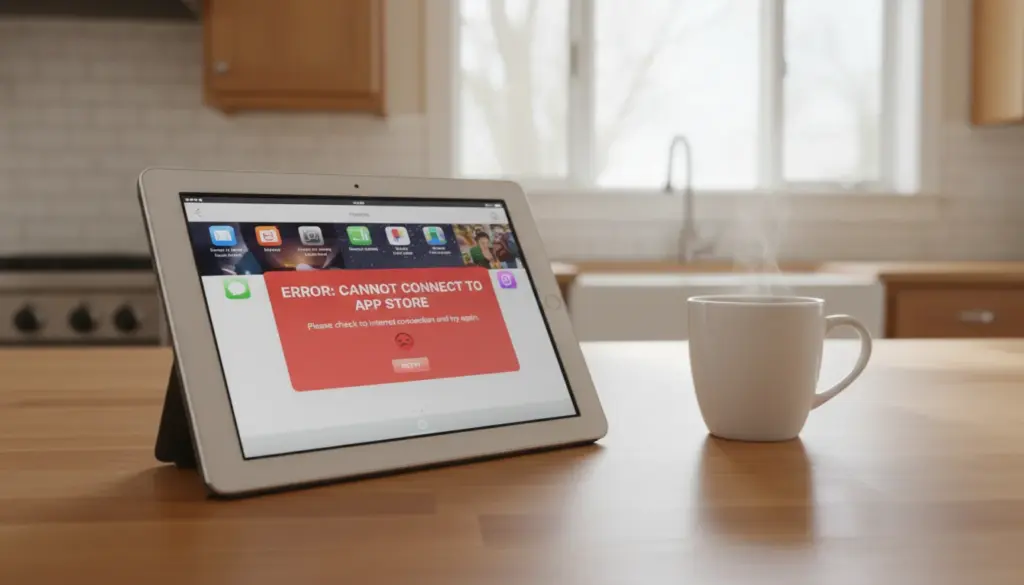
If the app is nowhere in your Purchased list (you’ve genuinely never downloaded it before, on any device, on this Apple ID), this trick can’t help you on its own. Most families have a long enough Apple ID history that most useful apps are already in there somewhere. If they aren’t, how to download apps on an old iPad walks through the two-minute “borrow a modern iPhone or Mac” step that gets a fresh app into your Purchased list without needing to own a second Apple device yourself. If the app shows up as “cannot be downloaded” or fails without offering the older version, walk through Old iPad Won’t Download Apps – that covers the sign-in and payment-method edge cases.
Games that still install on iOS 12.5.7 and 12.5.8
If the iPad has become the kids’ spare tablet (which is what happens in most houses I’ve seen), the games question comes up fast. The short answer: almost every game worth having on this device comes down via the Purchased-history trick from the previous section, because developers have quietly raised their App Store floor past iOS 12 in the last two years. If the game has ever been in your family’s Apple ID history, the last iOS 12-compatible build still installs.
The ones I’d actually put on a spare iPad the kids use:
- Monument Valley and Monument Valley 2 – the current builds ask for iOS 15, but the last iOS 12-compatible versions still come down through Purchased for anyone who owns them (both go on sale to free semi-regularly, which is when most families first pick them up). Puzzle games that read more like a screensaver than a game. Gorgeous on the Air 1’s screen, and quiet enough that a kid can play in the same room as a grown-up on a call.
- Alto’s Adventure – $4.99. The current build wants iOS 13, but the older iOS 12 build installs via Purchased. Endless snowboarding runner, ambient art style, no ads, no in-app purchases. My oldest played this on a plane for an hour and nobody within earshot noticed.
- Minecraft – $6.99. The current build wants a newer iOS, but the last 12-compatible version installs from Purchased if you already own it. Most families already do.
- Crossy Road – free with in-app purchases. The pre-2023 build still installs from Purchased and it’s the most durable family-friendly game I’ve handed to a 5-year-old.
If you’re staring at a fresh Apple ID on this iPad and none of the above are in your Purchased list, how to download apps on an old iPad covers the “borrow a modern iPhone once” step that gets these into your library.
What’s gone, and why:
- Roblox, Fortnite, Pokémon GO – dropped iOS 12 support years ago and Apple isn’t serving older builds for these anymore. Roblox and Fortnite are the two the kids will ask for by name. Roblox has no working version on this device; Fortnite came back to the US App Store in May 2025, but it needs iOS 17.4.
- A whole era of great games from 2010 to 2015 – the original Cut the Rope, older Angry Birds titles, Where’s My Water, and dozens of others were never rebuilt as 64-bit apps. When Apple dropped 32-bit support in iOS 11 they got pulled from the store, and they won’t appear in your Purchased list at all. This is the loss that stings most – some of the best paid games of that era are just gone from the platform.
The short version: the iPad is a fine kids’ games tablet if the kids are open to the classics. It is not a Roblox or Fortnite device, and no trick will make it one.
Apps that no longer work at all
Being straight about the ceiling matters more than padding the list.
- Instagram – the current app requires iOS 16.3, and Instagram appears to have pulled older builds from the Purchased history flow. Web is not a serious substitute.
- TikTok – requires iOS 15+, no working older version I can find.
 Netflix app – requires iOS 26 as of October 2026 (it was iOS 18 in the spring, so the floor moves fast). netflix.com in Safari on iPad Air 1 sometimes plays and sometimes doesn’t – it depends on which DRM version the video needs.
 YouTube app – requires iOS 17 (bumped from iOS 16 in August 2026). m.youtube.com in Safari works fine as the fallback, and honestly the mobile web version is faster than the app was.
- Most banking and 2FA apps – Chase and Bank of America require iOS 17, Microsoft Authenticator requires iOS 17, and Google Authenticator requires iOS 16. This is the hardest gap. If you rely on the iPad for banking, you’ll need to keep a newer phone in the loop.
- Modern browsers other than Safari – Chrome, Firefox, Edge all abandoned iOS 12 by 2021-2022. Safari is your only current browser.
What this iPad is genuinely good for
Once you accept that the App Store isn’t going to serve up 2026’s most popular apps, an iOS 12.5.7 or 12.5.8 device settles into a set of jobs it does well:
- A family calendar display mounted in the kitchen (Apple Calendar plus Safari for the shared Google Calendar)
- A digital photo frame rotating shared iCloud albums
- A bedside reader and alarm using Apple Books and the built-in Clock
- A dedicated recipe screen running Paprika
- A kids’ learning station with Khan Academy Kids as the only app on the home screen
Giving it a job
If one of those jobs lands and you want it to actually stick, two cheap pieces of hardware do more than they should:
- A fresh
 Lightning cable. These devices are ten to twelve years old. The original cable, if it’s even still around, has been bent and reseated a thousand times. A cheap MFi cable keeps the iPad on the shelf instead of in a drawer because “it stopped charging.”
 - A cheap tablet stand. Any of the kitchen, calendar, photo-frame, or bedside-reader jobs above only work if the iPad lives somewhere you’ll actually look at it. A $15 stand solves this. Mine has lived on the kitchen counter for three years.
If what you really want is a current Netflix app, Instagram, or Chrome, and the Safari-and-Purchased-history workarounds in this guide aren’t going to get you there, that is a real answer rather than a failure. An Amazon Renewed Fire HD 10 runs about $75 and runs everything current. The old iPad can still live out its days as a bedside reader or a photo frame; the Fire HD 10 takes on the apps that need a modern OS.
If you land on this page from a search and it turns out your iPad actually stops at iOS 10.3.4 or iPadOS 15.8.8, the Apps That Still Work on Old iPads and Android Tablets hub is the decision tree back to the right version answer. This page is the 12.5.7 and 12.5.8 leaf of that tree – the one to bookmark if the mini 2, mini 3, or Air 1 is what’s sitting in your drawer.
The iPad Air 1 came out in 2013. Any electronic device that still boots after twelve years is doing something right. Apple’s January 2026 update said, quietly, that they know it’s still out there. Your job is just to give it something useful to do.